
This playbook will help you take a legit headshot using only a smartphone and a nearby location.📍
While everyone has the power to take photos with smartphones, not all images are created equally. You want to make sure you have a legit headshot to use across all of your accounts: LinkedIn, Gmail, or other social media accounts.
Say goodbye to these profile pictures! 👋


Your headshot will set the stage for first impressions as you meet people, be your avatar on slack. Make it authentic and have high standards!
Have a good-camera-quality smartphone with portrait mode (iPhone, Google Pixel, etc.)
ACTION: Watch these videos 👇
2. Get a good shot with lighting and pose 🔦
Diffuse Lighting - The quality of the shot is directly proportional to the quality of lighting. Bad lighting will ruin a good shot.
Have good diffuse lighting that highlights you as the subject. There should be no shadows on your face, and you should be brighter than the background.
✔ Do use diffuse, soft lighting ❌ Don't have harsh shadows
(hint: put a white t-shirt in front of the light) (don't use single-point lighting)
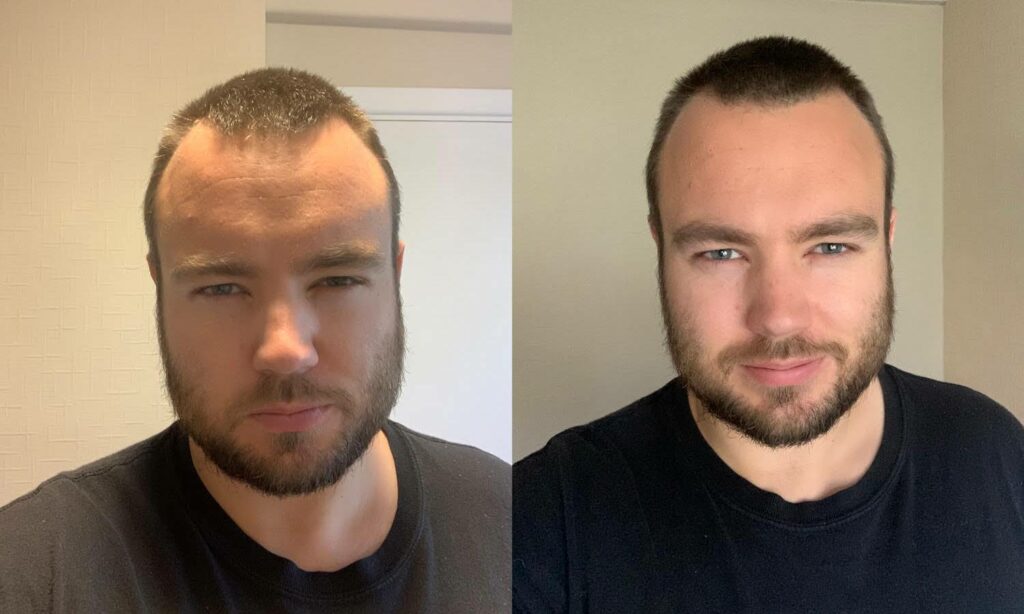
Clean background with contrast - Make sure the background does not detract from you as the subject. Have depth, blur, and contrast between you and your background.
****❌ **Don't** ✔ **Do**

Be intentional with what you wear- No suit and tie but also no ripped hoodie. Be authentic to yourself and make sure your clothing is clean. Don't have it be a distraction or focal point of your photo. Make sure the camera angle is at eye level and you are centered looking straight at the camera

Reveal something about you - The best photos tell a story. It's in your body posture, your eyes, and your facial expression. Here are some prompts for helping your photo tell a story. Boss mentality, Curiosity, and Enthusiasm should be delivered through your profile picture.

Edit the contrast and colors so your photos pop. Check out the photo editing playbook for tips.🤳